MCP Install
Install Memnode into Claude Code and give your agent memory you can inspect
This is the shortest believable Memnode loop today. Install the local MCP server, teach the agent one repo convention or support rule, recall it in a later session, then inspect the lineage so the memory is not a black box.
Why start here
- The pain is immediate: agents forget repo rules and local conventions across sessions.
- The proof is short: record, recall, show lineage.
- MCP puts Memnode directly in Claude Code instead of behind a separate app integration.
What Memnode adds
- Persistent memory across later coding or support sessions.
- Lineage and explainability instead of opaque retrieval.
- Correction when a convention changes or a memory is wrong.
Fast path: install into Claude Code
From the repo root, build Memnode once and let the installer merge the MCP entry into your Claude Code config.
cargo build --release --manifest-path data-plane/Cargo.toml

./data-plane/target/release/memnode install-mcp   --target claude-code   --verify
`--verify` drives the installed entry the same way the MCP client would, so the install path fails early if the command is wrong.
Project-local install
If you want the MCP config to stay with one repo instead of your global Claude config, install into a project file.
cargo build --release --manifest-path data-plane/Cargo.toml

./data-plane/target/release/memnode install-mcp   --target project   --verify
This writes a local `.mcp.json` entry so the memory setup travels with the project.
What the proof loop looks like
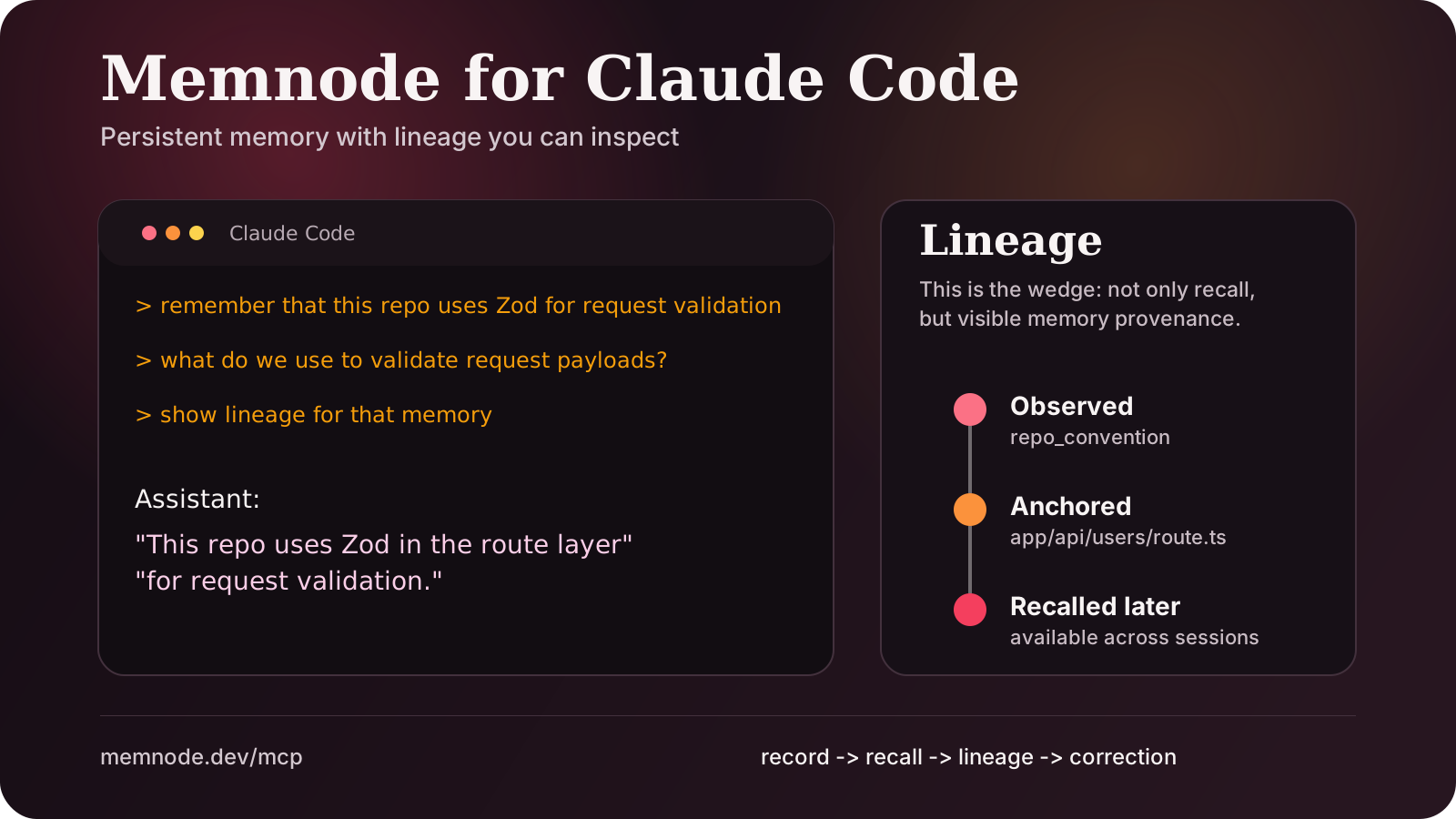
> remember that this repo uses Zod for request validation
> what do we use to validate request payloads?
> show lineage for that memory

Assistant:
"This repo uses Zod in the route layer for request validation."

Lineage:
- observed from repo_convention
- anchored to app/api/users/route.ts
- available in later sessions
That last step is the wedge. The point is not only that the agent remembered something. The point is that you can inspect why it remembered it and correct it later without guessing.
Marketplace-ready copy
If you publish Memnode to an MCP marketplace, the listing should lead with persistent, inspectable memory rather than the Rust implementation or storage internals.
Persistent memory for Claude Code and MCP agents, with lineage you can inspect.
Memnode gives Claude Code and other MCP clients persistent memory across sessions.
Record a repo convention or support rule, recall it later, then inspect the lineage so memory is not a black box.
Best for coding assistants, internal agents, and workflows where memory correctness matters.
30-second demo script
This is the script to record as a short GIF or terminal capture for the listing later.
1. Run:
./data-plane/target/release/memnode install-mcp --target claude-code --verify

2. In Claude Code:
remember that this repo uses Zod for request validation

3. Start a fresh task or session:
what do we use to validate request payloads?

4. Then:
show lineage for that memory
End the capture on the lineage output. That is the part that makes Memnode different from generic memory tools.
Short demo loop
This 14-second loop is the public proof artifact for marketplace listings, package pages, and launch posts. It shows the whole wedge in one pass: install, teach, recall, inspect lineage.
Downloadable listing graphic
This static proof graphic is the fallback asset for package pages, social previews, or marketplaces that prefer an image over autoplay video.
 Download SVG still →
What the listing should emphasize
- Persistent memory across later sessions
- Inspectable lineage and explainability
- Useful for repo conventions, support rules, and internal policies
- Local MCP now, hosted API when the workflow expands
- Rust implementation details
- WALs, leases, or internal control-plane language
- Broad claims about all agent memory problems
- Abstract “memory infrastructure” wording without proof
Hosted and local are complementary
Local MCP is the fastest workflow for Claude Code, Cursor-style coding agents, and private repo memory. The hosted API is for shared agents, background jobs, and multi-machine systems. Memnode supports both paths rather than forcing you to pick one story.
Hosted remote MCP endpoint
Memnode now exposes a real hosted MCP endpoint at https://api.memnode.dev/mcp. This is the connector path for remote evaluation and marketplace review. Claude can connect to this path using OAuth with dynamic client registration, instead of a pasted bearer token.
curl -sS https://api.memnode.dev/mcp \
  -H "Authorization: Bearer $OAUTH_ACCESS_TOKEN" \
  -H "Content-Type: application/json" \
  -d '{
    "jsonrpc": "2.0",
    "id": 1,
    "method": "initialize",
    "params": {
      "protocolVersion": "2025-03-26",
      "clientInfo": { "name": "review-probe", "version": "1.0.0" }
    }
  }'
The OAuth metadata lives at https://memnode.dev/.well-known/oauth-authorization-server, and the hosted tool surface is intentionally narrow for review and production use: record_memory, recall_memory, memory_lineage, query_memory, memory_health, and forget_memory. Every tool now advertises a title plus read/write safety hints. The raw probe above assumes you already completed the OAuth exchange and are testing the issued access token directly.
Full connection walkthrough — Claude Code, Claude.ai connectors, generic OAuth/PKCE flow, and troubleshooting: Remote MCP setup →
Reviewer and support links
These are the public URLs behind the hosted connector path. They are the links to use for review, support, and policy checks.